Early check-in, airport pickup, extra towels: guests often want these, and you may already offer them. The problem is that guests don't know, and you end up explaining your prices one chat at a time. Guest services lets you list your extras and prices on your GoTuloy page. On an Airbnb listing, guests see the list and ask through Airbnb, so everything stays where Airbnb expects it. This guide shows you how to set it up.
Key takeaways
- Guest services is part of the Host plan. You add and manage your list under Guest services in the sidebar.
- On Airbnb listings, guests see a menu of extras and prices with a Request on Airbnb button. There's no form and no payment on your page.
- Agree on and charge for every extra through Airbnb. GoTuloy never handles the money.
- Changes show on your page right away. You don't need to publish.
- Pause a service when you can't offer it, and resume it later without typing it again.
1How it works on an Airbnb listing
Airbnb's off-platform rules don't let you take guests' payments or contact details outside Airbnb. So on an Airbnb listing, your GoTuloy page works like a printed price list:
- The guest sees your services and prices in the Guest services section of your page.
- They tap Request on Airbnb. That opens their Airbnb messages and copies a short message about the service, ready to paste.
- You and the guest agree on it in the Airbnb chat, and you handle any charge through Airbnb.
GoTuloy keeps no record of the request, because it never happens here. That's on purpose. It's the same reason your page never asks an Airbnb guest for an email or a payment. Before you offer an extra, check that it's allowed by Airbnb's current rules and your building's.
2Before you start
Check two settings under Properties → Settings:
- This is an Airbnb listing should be on. It's on by default.
- Airbnb link for the Message host button should be https://www.airbnb.com/guest/messages. It opens the guest's own Airbnb inbox with your conversation. Links from your host dashboard don't work for guests. Without this link, guests see a line telling them to ask you in Airbnb instead of a button.
3Add your first service
- Open Guest services in the sidebar.
- If you have more than one property, pick the right one under Page.
- Press Add a service, or press a suggestion such as Early check-in or Extra towels to fill in the name and a sensible way of pricing it.
- Fill in the form, then press Save service.
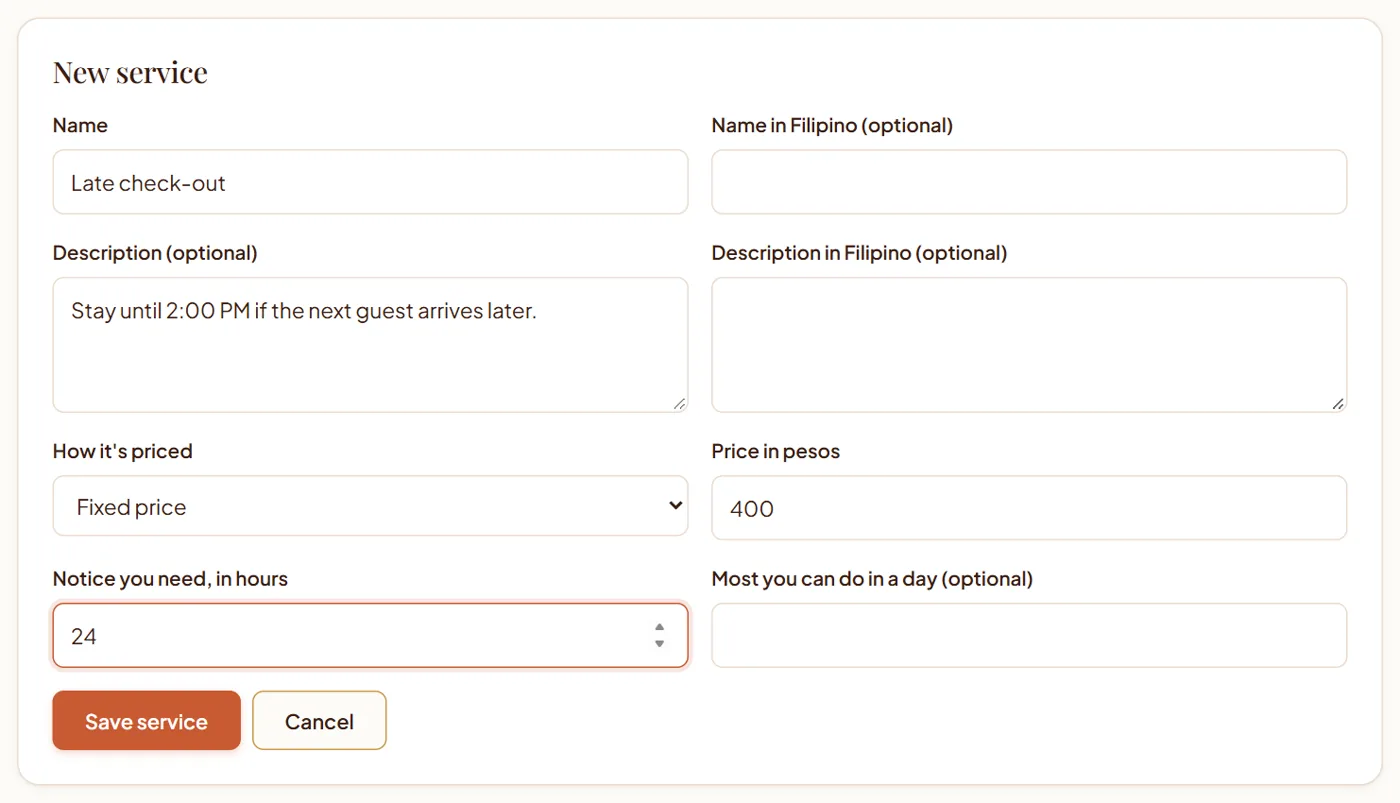
The form for a new service. The Filipino boxes are optional.
Here's what each field does:
- Name and Description: what guests read. Say exactly what's included: "Door to door from NAIA, up to 4 guests." Both have optional Filipino versions.
- How it's priced: see the next section.
- Price in pesos: the price you'll charge through Airbnb.
- Notice you need, in hours: how far ahead you need to know.
- Most you can do in a day: an optional limit, useful for things you can only do once a day.
On Airbnb listings there's no request form on your page, so guests aren't stopped automatically by notice or daily limits. Mention any important notice in the description too, such as "Please ask at least a day ahead".
4Choose how to price it
- Fixed price: one price each time, like early check-in or late check-out.
- Per person: breakfast, or a guided tour.
- Per night: a parking slot.
- Per item: extra towels or an extra mattress. You can set Most per request.
- Ask for a price: when the price depends on the details, like an airport transfer at different times of day. Guests see Ask for a price instead of a figure.
Prices are shown as you enter them. Be sure they match what you'll actually charge.
5See it on your page
Your services appear in the Guest services section as soon as you save. Each card shows the name, price and description, with the button underneath. Below the list, guests are told to arrange and pay for extras through their Airbnb chat with you.
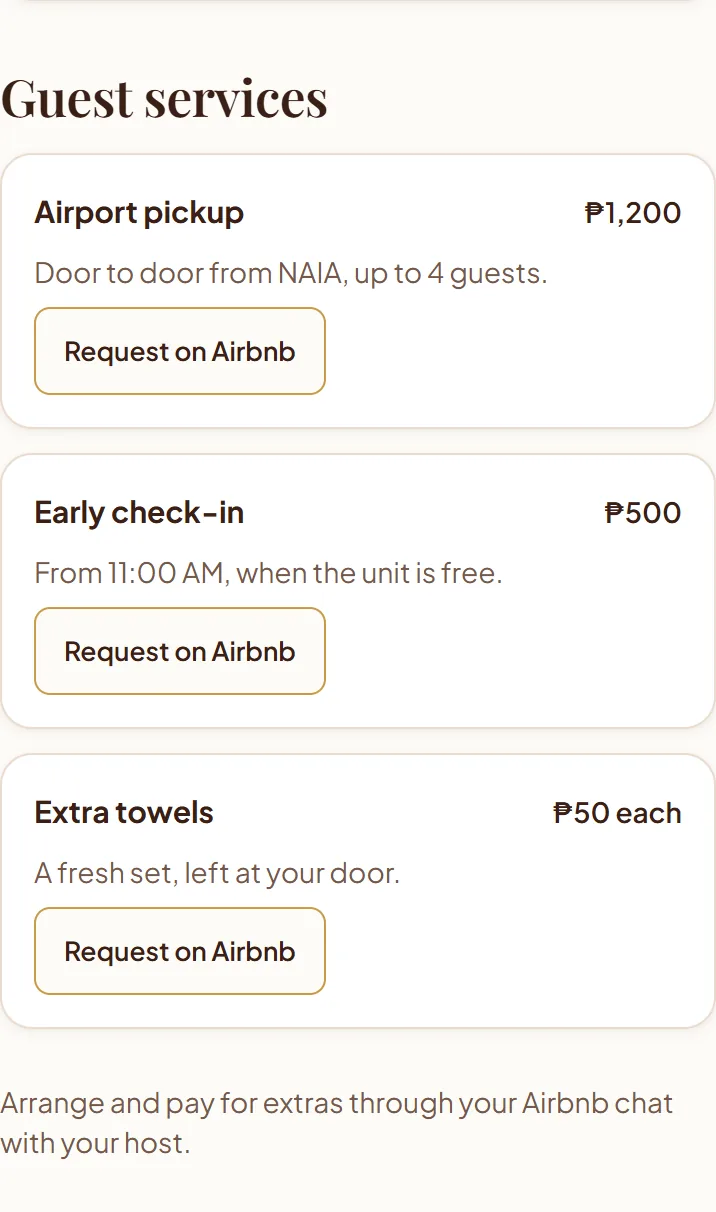
Sample services on a guest page. Prices here are examples.
Don't see the section? If your page was last published before you started using guest services, press Publish changes once so the section is added. You won't need to do this again. You can also change its heading and short intro in the Guest services tab of the page editor.
6Keep your list up to date
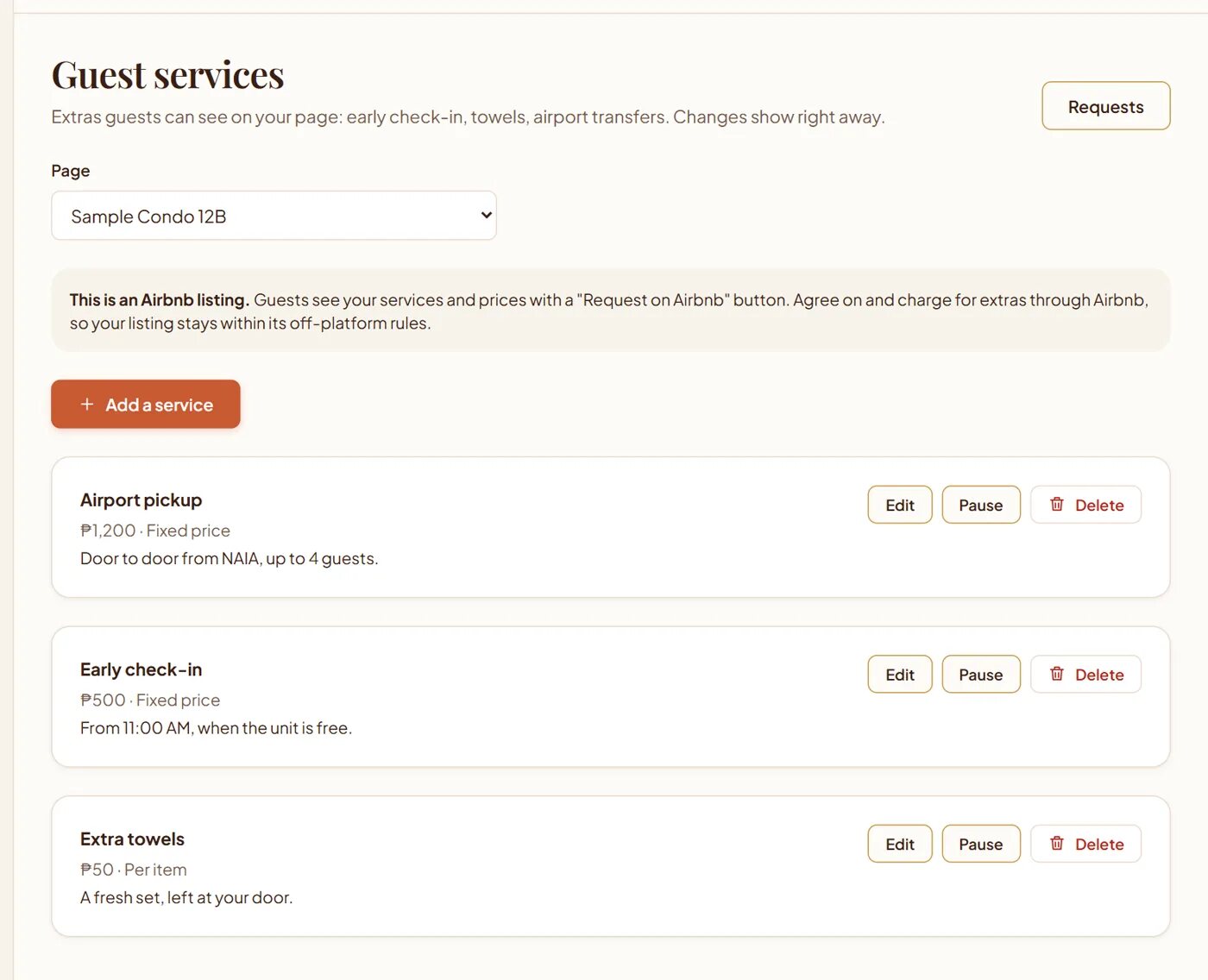
Your list in the dashboard, with the Airbnb reminder at the top.
Every service has three buttons:
- Edit: change the name, description or price.
- Pause: hide it from guests for now. Use this when the driver is on holiday or your parking slot is rented out, then press Resume.
- Delete: remove it for good.
All of this shows on your page right away. If the list is empty or everything is paused, the section simply disappears from your page.
7What to offer
Start small. Two or three extras you can reliably deliver are better than a long list you sometimes can't. These tend to work well:
- Early check-in and late check-out, described with the time and "if the unit is free".
- Airport or terminal pickup, with what's included and how many people fit.
- Extra towels, bedding or a mattress, priced per item.
- Extra cleaning during a long stay.
- Parking, if your building lets you offer it.
Check your building's rules too. Some condos limit deliveries, parking or services in the unit.
8Write descriptions that prevent back-and-forth
- Say what's included: "A fresh set, left at your door."
- State any condition: "From 11:00 AM, when the unit is free."
- Say who it's for: "Up to 4 guests."
- Don't add your mobile number, social handles or payment details. On an Airbnb listing, all of that stays inside Airbnb.
Frequently asked questions
Can guests pay on my page?
No. There are no payments on the guest page of an Airbnb listing, and GoTuloy never holds or moves money for hosts or guests. Handle charges through Airbnb.
Can I collect requests through a form on my Airbnb listing's page?
No. Airbnb listings get prices and the Airbnb button only, and our system refuses form requests for them. Direct bookings work differently. See Take service requests from direct bookings.
Will I be notified when a guest taps the button?
Not by GoTuloy, since nothing is recorded here. The guest's message arrives in your Airbnb inbox, like any other message.
Can the chat assistant sell my services?
If you use guest chat, it can tell guests what's on your list and the listed price. It can't take or confirm a request. It points them to the section.
What if I move back to the Free plan?
Guest services is part of the Host plan, so the section stops showing and you can no longer edit the list. Upgrade again to continue.
Do I need to translate my services?
No. The Filipino boxes are optional. Anything left empty shows in English.